Readers who know your book as well as you do.
Attente's readers do what a good first reader does: they read closely, remember everything, notice what you'd want noticed, and explain why. Each note waits in the margin, beside the words it's about, for you to decide.
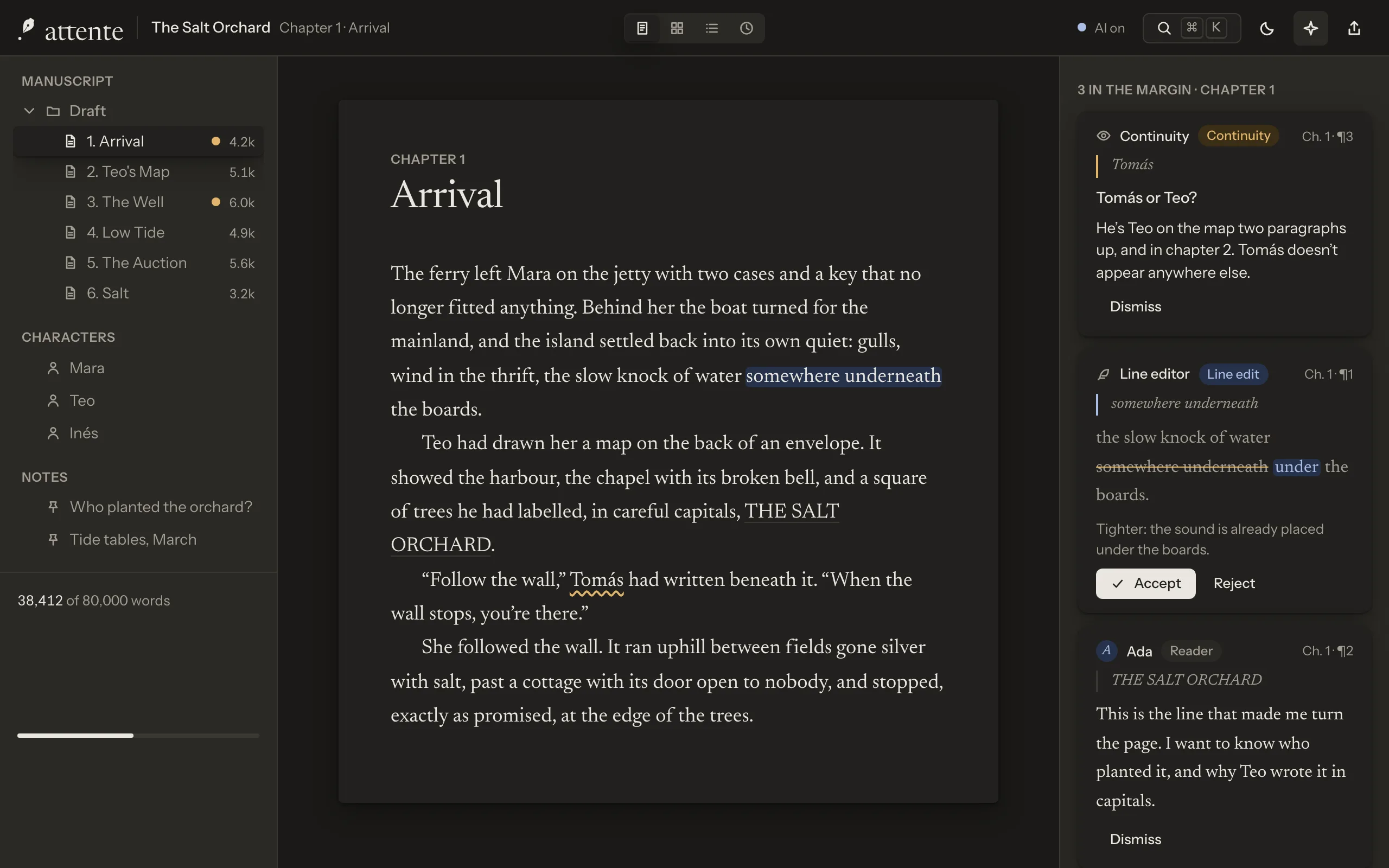
Every suggestion is yours to take or leave
A note sits beside the words it's about, with the reader's name and its reason. A proposed edit is shown as a tracked change in the sentence. Accept it and it becomes an ordinary edit you can undo; dismiss it and it's gone.
No code path writes a model's words into your manuscript without your accept. That isn't a setting: it's how the app is built.

Who reads along
Switch each reader on or off. They speak when you pause, as you write, or only when you ask: your choice.
![]()
Story bible keeper
Keeps characters, places and the timeline up to date, each new fact waiting for your yes.
![]()
Continuity
Names, ages, dates and details that contradict each other, and slips against your world's rules.
![]()
Line editor
Tightening and rhythm, as tracked changes with a reason for each.
![]()
Point of view and tense
Slips in person, viewpoint and tense, against how you say the book is told.
![]()
Beta readers
A literary reader, a genre fan and a sceptical editor react to finished chapters.
![]()
Structure coach
Your book laid against the shape you chose, with notes on what arrives late.
![]()
Researcher
Finds and summarises sources into your research folder, with citations.
![]()
Ask your manuscript
Questions about your own book, answered with the passages that answer them.








Calm by default
While you type, nothing on the screen moves because of a reader. Results arrive without motion, behind a quiet count, and wait until you look.
When you're ready, review a reader's notes for a chapter in order, each shown in its sentence with its reason.

Your model, your route
Use Attente's hosted readers, your own API key for a supported provider (sent straight from your computer, never to us), or a model on your own computer. Whatever the route, your writing is never used for training.

Try Attente free for 7 days.
Download it for macOS, Windows or Linux, or open it in your browser. When it's earned its place, one licence covers every computer you write on.